Wedding planning checklist: 34 tasks dated from your wedding day
The INVITO couple’s app has a To-do section: a wedding planning checklist. Tap ‘Typical plan’, untick what you don’t need and add the rest: 34 tasks, from setting the budget 12 months out to resting the day before, with deadlines counted back from the wedding date in your order. If you start late, tasks that should already be done get a deadline within the coming week instead of showing up as overdue. Each task can have one of 9 categories, a person in charge (bride, groom, together or your planner) and a note. Overdue tasks turn red, and progress shows in the section header and on the Overview page. The app sends no reminders: everything is visible when you open the section.
Budget, venue, photographer, dress, rings, the marriage paperwork, the cake, the seating plan: a wedding comes with a few dozen jobs, and each one has its own ‘book it by’ date. When the list lives in your head or in a phone note, it’s easy to miss the moment your photographer gets booked by someone else.
The couple’s app has a To-do section for exactly this: a ready-made planning checklist with deadlines counted from your wedding date.
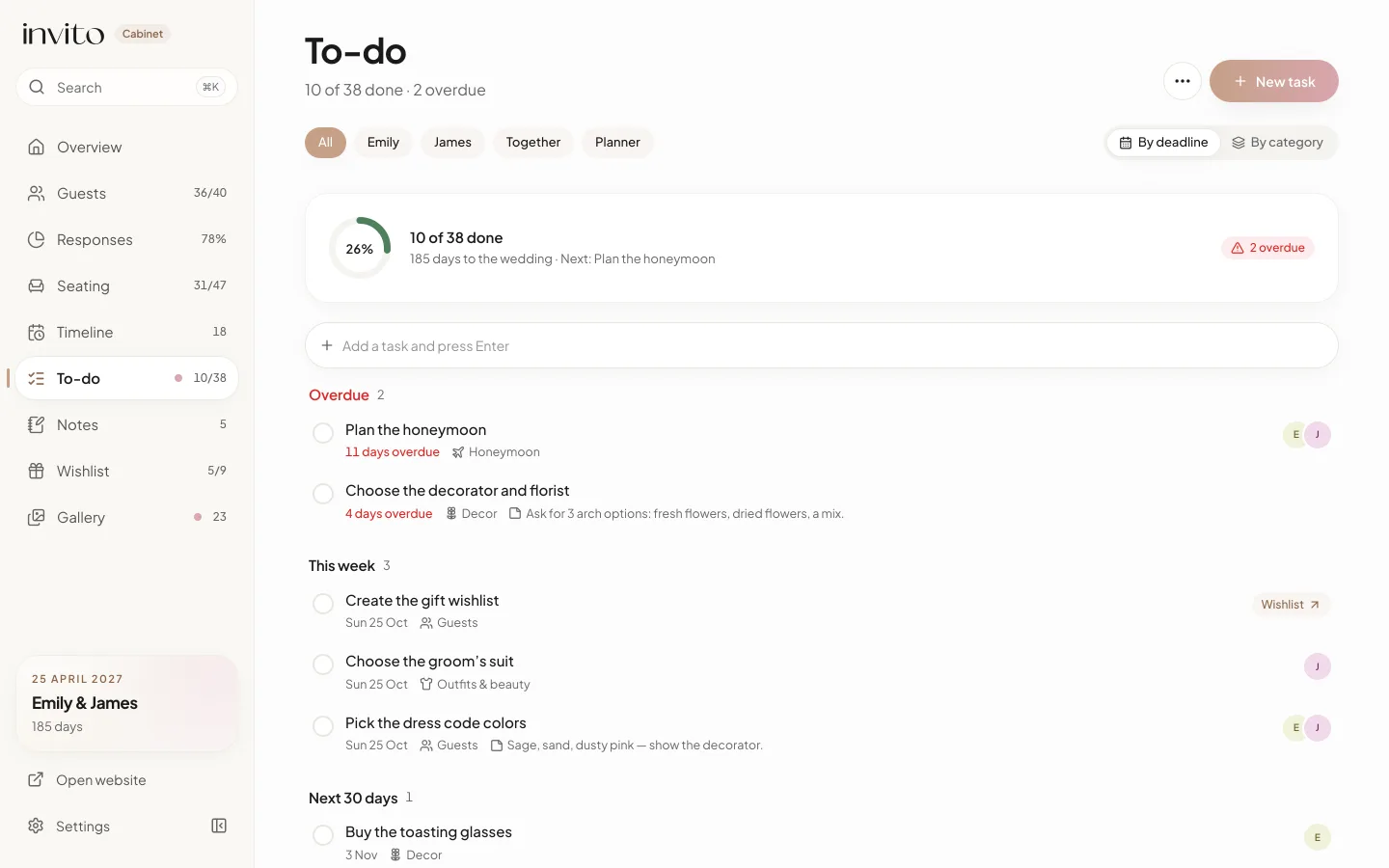
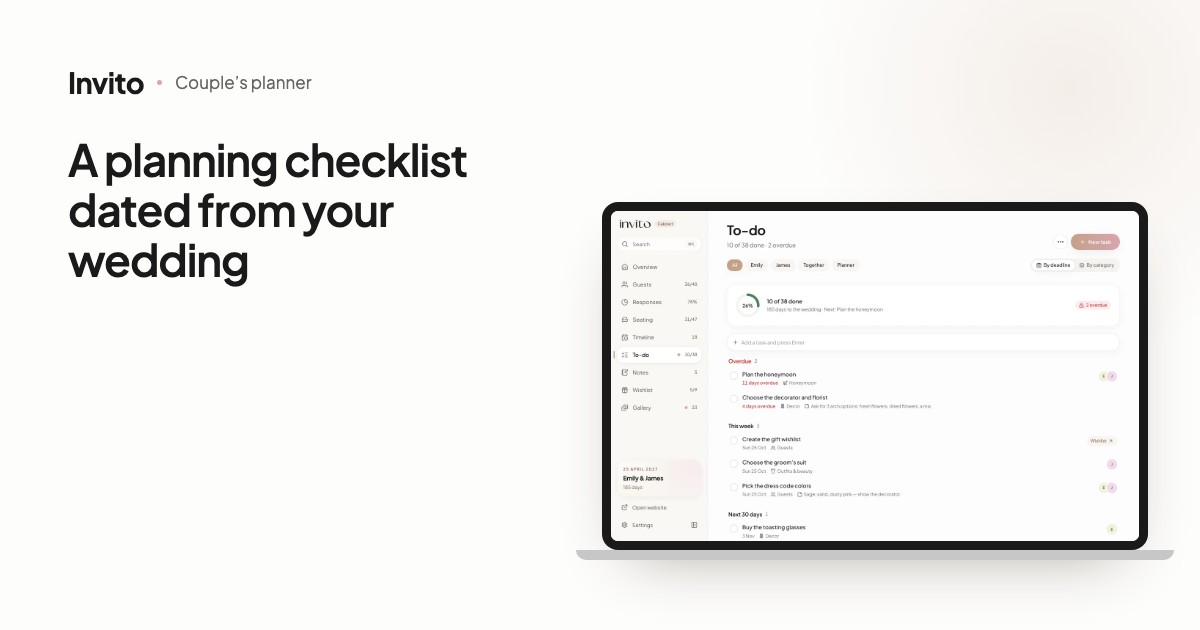
To-do on a computer: progress, ‘who is on it’ filters and deadline groups. Sample data, fictional couple.
How it works
- Open To-do: on a computer it’s in the sidebar (with a counter of finished tasks next to it); on a phone, go through More at the bottom of the screen.
- On the empty page, tap Add the typical plan (later you’ll find it in the ‘…’ menu as Typical plan).
- Go through the list, untick what you don’t need and tap Add 34 tasks (the number follows your selection).
- Add your own jobs: type into Add a task and press Enter, or tap New task to set a deadline, category, person and note straight away.
- When something is done, tap the circle on the left. The task moves to Completed.
The typical plan: 34 tasks dated from your wedding day
The plan takes the wedding date from your order and counts back for each task: ‘Set the wedding budget’ 12 months before, ‘Choose and book the venue’ 11 months before, the photographer 10, the dress 9, ‘Make the seating plan’ 21 days before, and ‘Rest and get a good night’s sleep’ the day before.
In the Typical wedding plan dialog, the tasks are grouped by stage: ‘9–12 months before’, ‘6–8 months before’, ‘3–5 months before’, ‘1–2 months before’ and ‘The final weeks’. Everything is ticked already, so you only untick what doesn’t apply. Task titles are added in the app’s language and you can edit them like any other text.
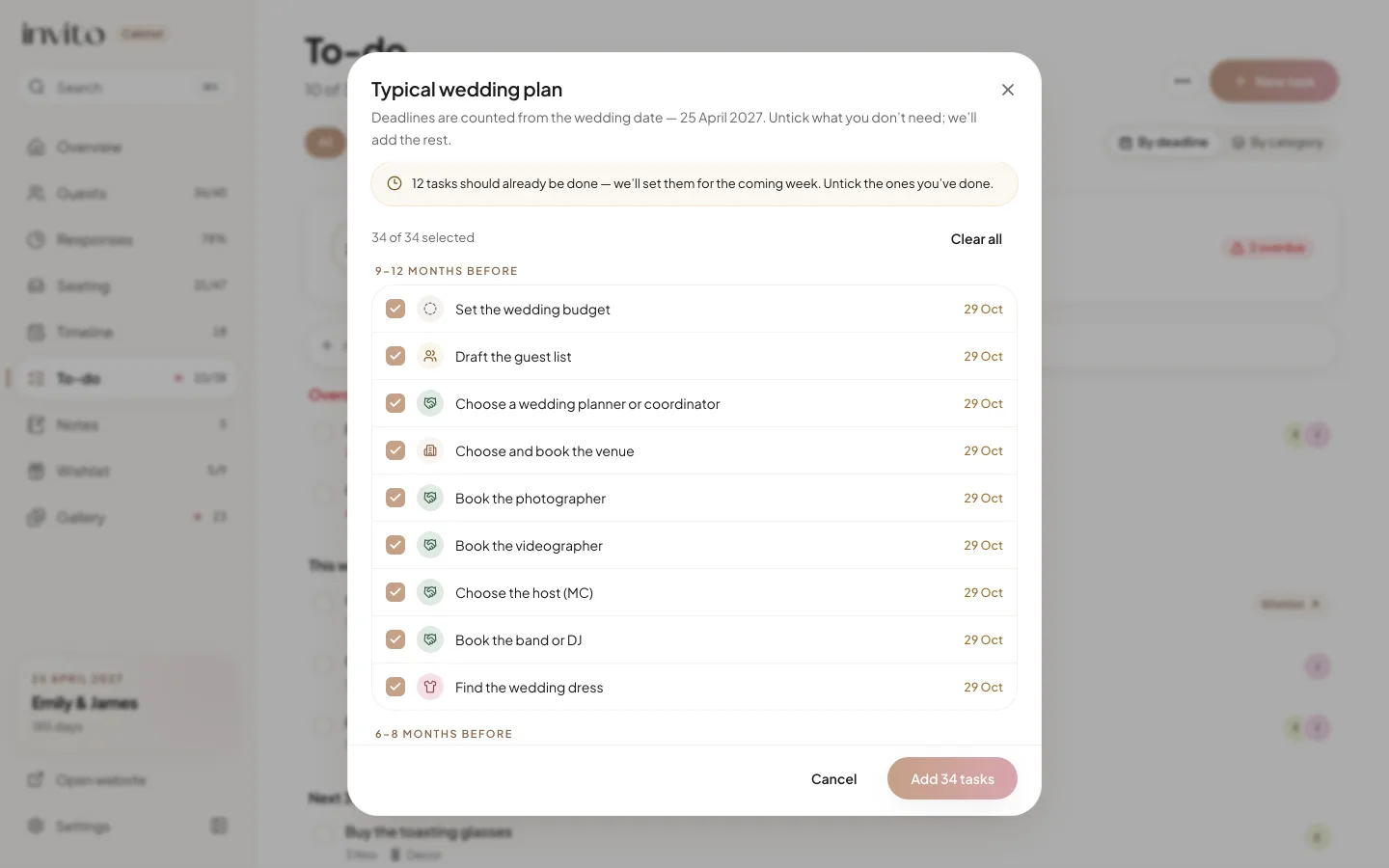
The typical plan: tasks by stage, dated from the wedding day, with a note for couples who start later.
Starting late? Tasks whose ideal date has already passed don’t disappear and don’t turn red. They get a deadline within the next seven days (or the wedding date, if that’s less than a week away), and the dialog tells you how many there are. Untick whatever you’ve already done.
A few more rules of the plan:
- No wedding date yet: the tasks are added without deadlines, and the dialog says so.
- Each task is added only once. If you unticked some, a ‘N more tasks from the typical plan’ button appears later.
- Some tasks link to the right part of the app: ‘Make the seating plan’, for example, has a ‘Go to “Seating”’ link.
- The wedding has already happened: the plan is no longer offered.
Who does what: people and categories
Each task can have someone in charge, set in Who is on it: the bride, the groom (the app shows your first names from the order), ‘Together’, and ‘Planner’ if your order includes a wedding planner. Some plan tasks come pre-assigned: the dress to the bride, the suit to the groom, the rings and the menu tasting to both of you.
The filters at the top show one person’s jobs. The bride’s or groom’s filter also includes shared tasks, so each of you sees everything that concerns you.
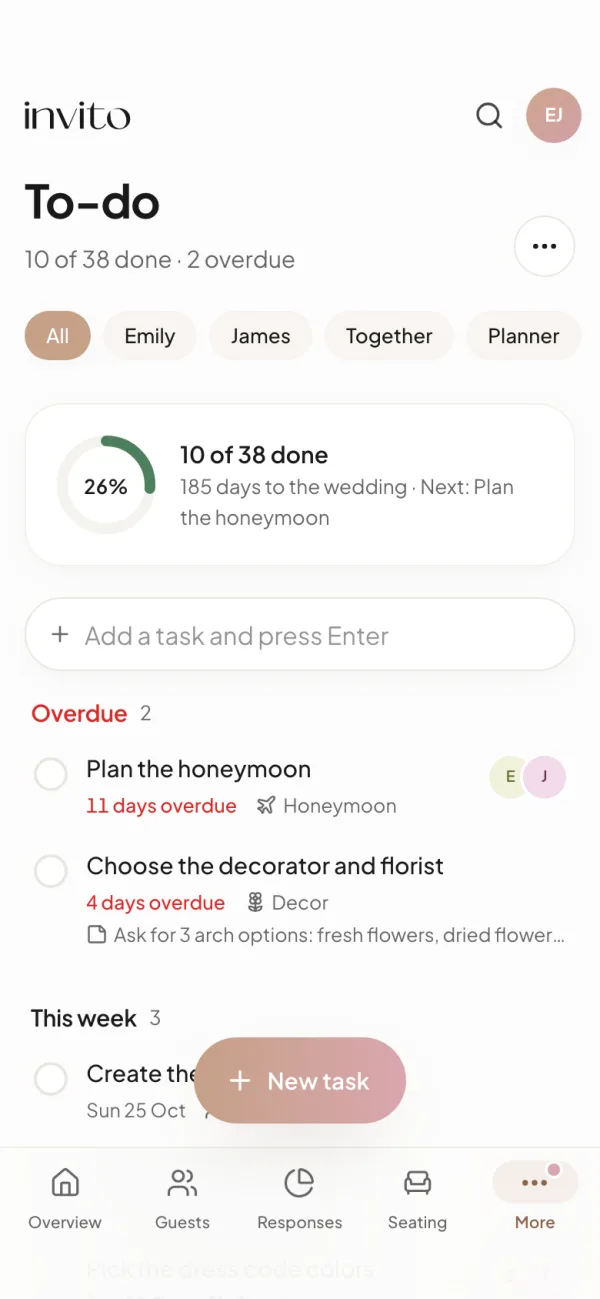
The same list on a phone: filters by person, a quick-add field and overdue tasks at the top.
There are 9 categories: Venue, Vendors, Outfits & beauty, Guests, Paperwork, Decor, Menu & cake, Honeymoon and Other, each with its own icon and colour. You can group the list By deadline (Overdue · Today · This week · Next 30 days · Later · No deadline) or By category. Any task can carry a note: details, contacts, links.
Overdue tasks stand out
- A task past its deadline goes into the Overdue group with a red ‘N days overdue’ label; ‘Today’ and ‘Tomorrow’ are highlighted in amber.
- The header shows ‘N of M done · N overdue’, a progress ring, the days left to the wedding and what’s next.
- A dot appears next to To-do in the sidebar, and the Overview page has a card with the number of finished tasks and the next one.
- Deleted the wrong one? Tap Undo in the ‘Task deleted’ message.
The app sends no email or calendar reminders. You see where things stand when you open the app.
What it gives you
- No list from scratch: 34 typical jobs are already placed on dates.
- Each of you sees your own and your shared tasks, with no debate about who was meant to call the photographer.
- Fewer ‘did we forget…?’ moments: overdue tasks and the next one are visible in the header and on Overview.
- The list is the same on your phone and your computer wherever you sign in; changes made on another device show up after you reload the page.
- Your planner sees the tasks only once you give access in Settings, and can then help with them.
There’s more about the app itself in our article on the couple’s app. And when you reach ‘Plan the timeline of the day’, read our guide to the wedding-day timeline.
Frequently asked questions
- How does the typical plan know my deadlines?
- It counts back from the wedding date in your order: the budget 12 months before, the venue 11 months before, the seating plan 21 days before, rest the day before. That is 34 tasks in total. Without a wedding date, the tasks are added without deadlines.
- We’re starting late. Will we get 20 red tasks?
- No. Tasks whose ideal date has passed get a deadline within the coming week and are not marked overdue. The plan dialog tells you how many there are. Untick anything you’ve already done before adding the plan.
- Can we split tasks between us?
- Yes. Each task can go to the bride, the groom, ‘Together’ or ‘Planner’ if your order includes a wedding planner. The filters at the top show one person’s tasks, and the bride’s or groom’s filter also includes shared tasks.
- Will the app remind me about deadlines?
- No, the app sends no reminders. Overdue tasks turn red, a dot appears next to To-do in the menu, and the Overview page shows how many tasks are overdue and what’s next.
- What if I delete a task by mistake?
- After you delete a task, a ‘Task deleted’ message appears with an Undo button. Tap it within a few seconds and the task comes back.
- Can our wedding planner see our tasks?
- Only if you give access yourselves: in the app’s Settings, under ‘Give your planner access’, switch on To-do. Your planner can then view and edit the list. The option is only there for couples whose order includes a planner.
Want an invitation like this?
Pick a design — we do the rest. Send us your photos and wishes, and we prepare the site, the monogram and the language versions.