The couple's app: your guest list and RSVP statistics on your phone
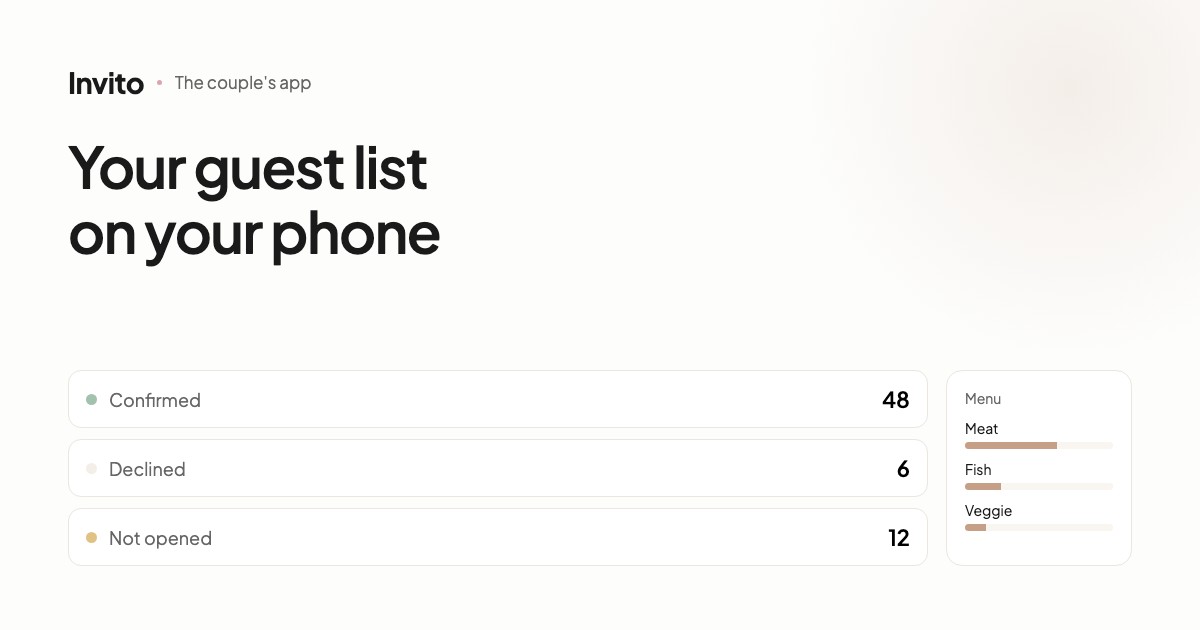
Along with the invitation, the couple gets access to an app with all the guests and their answers. You can see who confirmed, who declined, who hasn't opened the invitation yet, the menu choices and who needs transport. The data can be exported as a spreadsheet for the venue or the coordinator.
The invitation site is what your guests see. The app is what you see.
Three states instead of two
The most useful thing in a guest list is telling apart not two states but three:
- Confirmed — the guest is coming.
- Declined — the guest isn't coming.
- Not opened yet — the guest hasn't even seen the invitation.
The third state matters more than it seems. When you're missing twenty answers a week before the wedding, those are two different situations: the person saw the invitation and is hesitating — or the link got lost in a chat and they don't know about it.
It's the second group you should remind. Reminding the first only adds pressure.
What else you can see
| Section | What it shows |
|---|---|
| Guests | Every guest individually, with partners and children |
| Statistics | Overall numbers: confirmed, declined, waiting |
| Menu | Meal choices — the numbers for the venue |
| Restrictions | Allergies and dietary needs as a separate list |
| Transport | Who needs a ride |
| Parts of the day | Who is coming to the ceremony, the dinner, the afterparty |
The last one is useful for weddings with several venues: the headcount at the ceremony and at the dinner is often different, and each has to be planned separately.
Exports for your suppliers
The venue needs a list with the menu. The coordinator needs a spreadsheet for the seating plan. The host needs names and who is coming with whom.
All of it exports as a spreadsheet in one click. No retyping from chats, and no risk of losing someone's allergy somewhere in a message thread.
No limit on the number of guests
We don't charge per guest. Twenty or two hundred — the price is the same.
That's not a small thing: many services charge for every guest above a limit, and the final bill becomes unpredictable exactly when your list starts to grow.
Not another app to install
The app opens in the browser and can be added to your phone's home screen — it looks and works like a regular app, but there's nothing to download from a store.
In practice that means you can open it from any device: your phone, a tablet, your mum's laptop.
What it gives you
Wedding planning throws up dozens of small questions: what number to give the venue, which guests still haven't replied, who is allergic to nuts.
When the answers are in one place and update themselves, those questions stop depending on your memory and your message history.
Frequently asked questions
- Is it a separate app we have to install?
- It opens in your phone's browser and can be added to the home screen like a regular app. There's nothing to install from an app store.
- Is there a limit on the number of guests?
- No. An intimate wedding for 20 or a celebration for 200 — the number of guests isn't limited and doesn't affect the price.
- Who has access?
- The couple. Access comes with the order and doesn't depend on which of the two of you opens the app.
- Can we export the list for the venue?
- Yes, the data exports as a spreadsheet — with names, menu choices, allergies and transport needs. The format is ready to hand to a supplier without retyping anything.
- Can we see who hasn't opened the invitation yet?
- Yes. It's a separate category: the guest hasn't declined, they simply haven't seen the invitation yet. Those are the people worth reminding.
Want an invitation like this?
Pick a design — we do the rest. Send us your photos and wishes, and we prepare the site, the monogram and the language versions.