Envelope wedding invitation: how guests open an online invitation
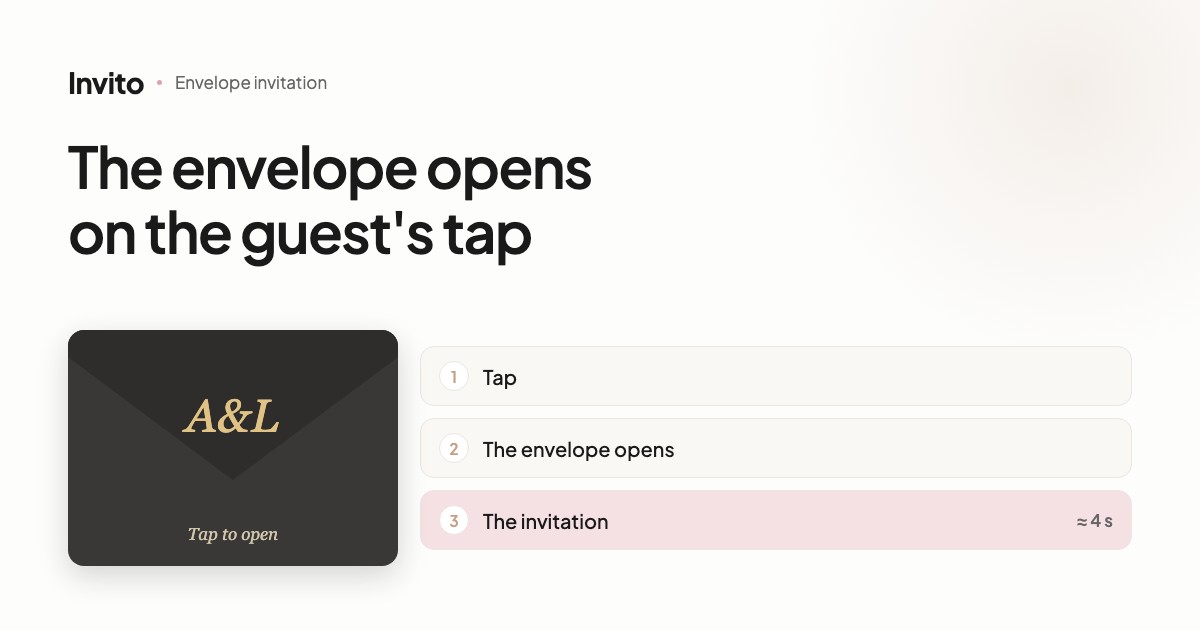
The invitation can open from an envelope. The guest sees a sealed envelope with your initials in gold and the line «Tap to open». Nothing plays until the guest taps the screen; after the tap the envelope opens and the invitation appears in about 4 seconds. A second tap skips the animation. The animation is silent, and background music, if the invitation has it, can start on that same tap. The envelope is available in the MAX and SIGNATURE packages.
A paper invitation has a moment that a link doesn't: the envelope in your hands, your name on it, the few seconds it takes to open. An online invitation loses that moment — the guest taps the link and lands straight on the page.
The envelope brings the moment back. And it does so without making the guest wait or hunt for a way to close it.
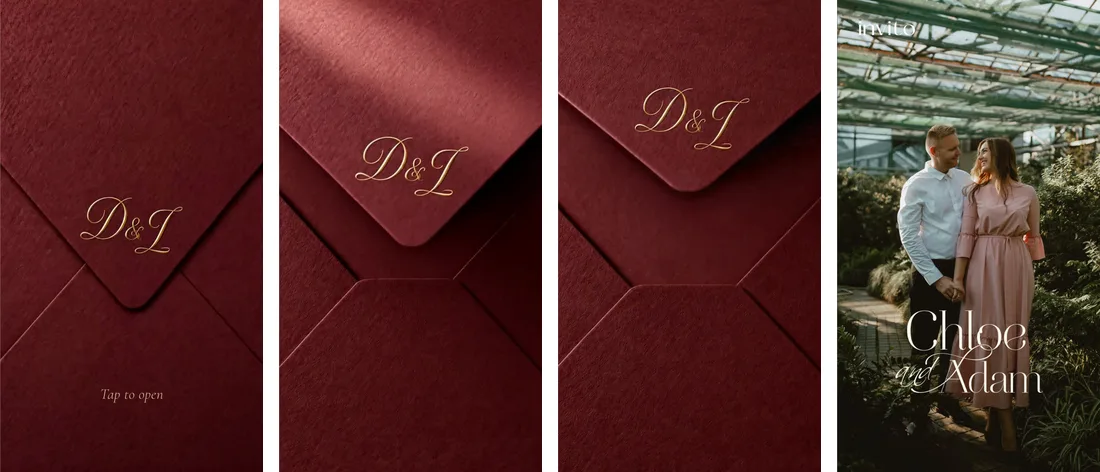
From the tap to the invitation — about 4 seconds. Frames from a demo on the designs page.
What the guest sees
- The guest opens their link and sees a sealed envelope: textured paper, with your initials in gold on the flap.
- Below them, the line «Tap to open», set in the same font as the invitation. It pulses gently, so it reads as something to tap.
- The guest taps anywhere on the envelope — and the envelope opens.
- Before the animation ends, the invitation starts fading in through the envelope. There is no frozen last frame — the animation flows straight into the invitation.
The whole thing, from the tap to the invitation, takes about 4 seconds.
Why the envelope waits for a tap
Nothing plays until the guest touches the screen. The envelope simply sits there and waits.
That's deliberate. Guests open their links at different times and in different places, and each of them decides when to «unseal» the invitation. The tap makes opening the guest's own action, not a clip someone else started for them.
Music on the same tap
The envelope animation is silent.
If the invitation has background music, it can start on that same tap: one tap — the envelope opens and your song begins. Without music, the invitation opens in silence.
Sound never starts by itself, without the guest doing something.
Does it slow things down?
Barely — here's why:
- A light file. The envelope animation is a few hundred kilobytes, under half a megabyte. It loads quickly even on mobile data.
- Short. About 4 seconds from the tap to the invitation.
- Skippable. A second tap and the guest is already in the invitation.
- Respects phone settings. If the guest has reduce motion switched on, they go straight to the invitation, without the animation.
Whose initials, and what colour
The envelope is made for you: it carries your initials. The letters in the demos on the website are only an example.
The envelope's colour is matched to the design. Each design has its own envelope — graphite, brown, lavender, dark chocolate, navy, olive. So the envelope and the invitation look like one piece, not two separate things.
How to see it on the website
The designs page has an «Envelope» toggle. It is off by default; switch it on and every demo opens from its own envelope. Your browser remembers the choice.
- On a phone — the envelope icon button in the bottom panel.
- On a computer — the switch in the left column, above the language selector.
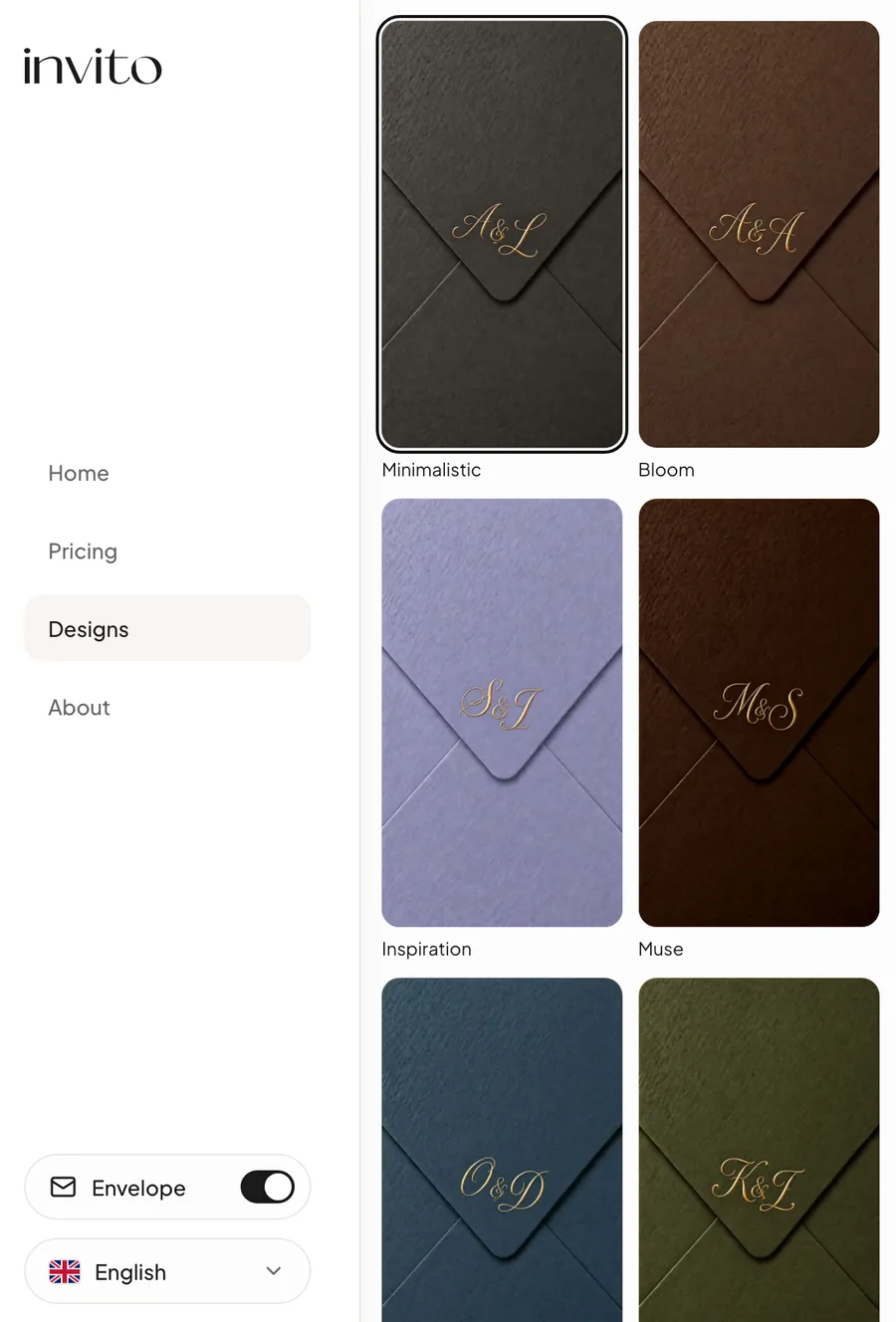
The designs page with the «Envelope» toggle on: every design has an envelope in its own colour.
Tap the envelope in a demo and you'll see exactly what your guests will see.
Which packages
The envelope is available now in the MAX and SIGNATURE packages. The MINI package does not include it.
Current prices are on the pricing page. If you're still deciding where to start, see how to choose an invitation design.
Frequently asked questions
- Can the guest skip the envelope animation?
- Yes. A second tap during the animation goes straight to the invitation. Even without skipping, it takes about 4 seconds from the tap until the invitation appears.
- Does the envelope make a sound?
- No, the envelope animation is silent. If the invitation has background music, it can start on the same tap that opens the envelope. Without music, the invitation opens in silence. Sound never starts by itself.
- Does the envelope slow down opening the invitation on a phone?
- Barely. The envelope animation file is a few hundred kilobytes — under half a megabyte — so it loads quickly even on mobile data. It takes about 4 seconds from the tap until the invitation appears, and a second tap skips the animation.
- Which packages include the envelope?
- The envelope is available in the MAX and SIGNATURE packages. The MINI package does not include it. Package prices are on the pricing page.
- Can I see the envelope before ordering?
- Yes. On the designs page, switch on the «Envelope» toggle — every demo then opens from its own envelope. On a phone it is the envelope icon button in the bottom panel; on a computer it is the switch above the language selector.
- Whose initials are on the envelope?
- Yours. The envelope is made for the couple: it carries the first letters of your names in gold. The initials in the demos on the website are only an example.
- What do guests see if they have turned off animations in their phone settings?
- If reduce motion is on in the phone's settings (an accessibility option that turns off animations), the guest goes straight to the invitation — without the envelope animation.
Want an invitation like this?
Pick a design — we do the rest. Send us your photos and wishes, and we prepare the site, the monogram and the language versions.