Music in a wedding invitation: how it works and when it fits
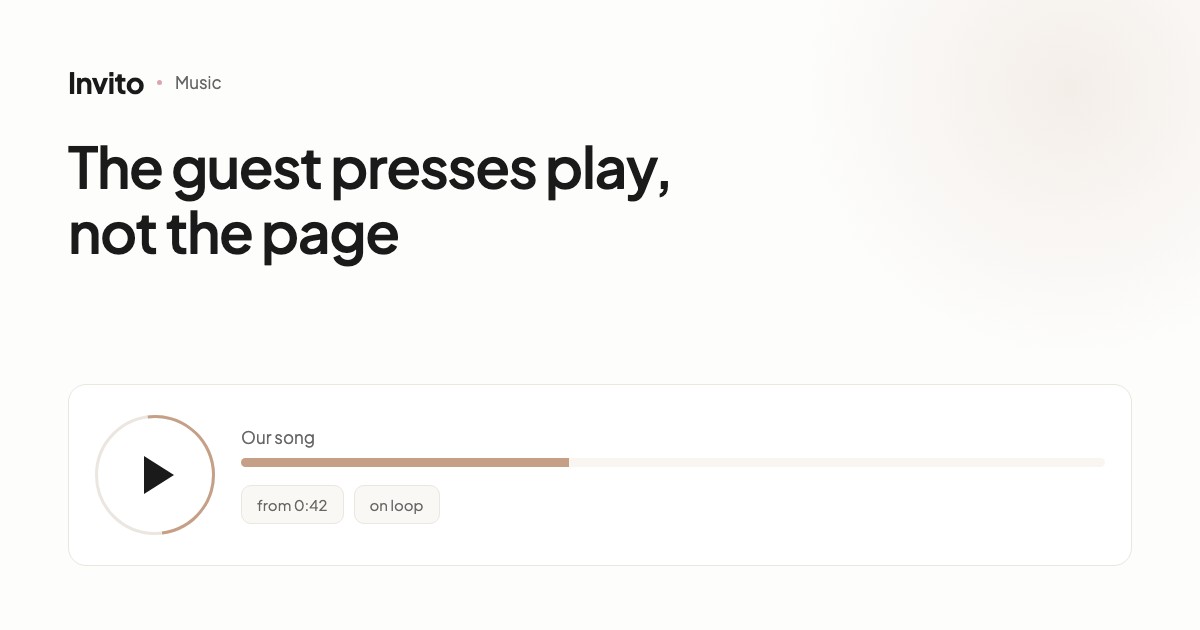
You can add music to the invitation — it appears as a round play button on top of the page. The music never starts by itself: the guest taps the button when they want to. You can set the second the track starts from, loop it, show its title and a progress ring. The button can hide while scrolling, or appear only once the guest has scrolled through part of the page.
Music in an invitation is easy to get wrong. Just remember the websites of the 2000s, where a tune started by itself and the first thing a visitor did was look for how to switch it off.
So let's start with the main point.
The music never starts by itself
The guest opens the invitation in silence. A round play button appears on top of the page — and the decision is theirs.
This isn't a technical limitation but a deliberate choice. A phone that suddenly makes a sound is almost always an awkward moment: the person is on the underground, at work, next to a sleeping child. The reaction is always the same — close the tab.
What the guest sees
The button is round, with a play icon. Tap it — the music starts; tap again — it stops.
Next to it you can show the track title, so the guest knows what's playing. And around the button, a thin progress ring fills up as the track plays.
You can place the button in a corner of the screen and set its size. If it gets in the way of reading, it can hide while scrolling — it disappears as the guest scrolls and comes back when they stop.
There's one more option: show the button not straight away, but after the guest has scrolled through a certain part of the page. The idea is simple — first people read who is inviting them and where, and only then do they see the offer to play some music.
Which second to start from
A typical problem: your favourite song has a forty-second intro, but people recognise it by the chorus.
So you can set the second the track starts from. The guest taps the button and hears straight away the part the song was chosen for.
Separately, you can loop the track so it starts again when it ends.
Which song to choose
There are no technical rules here, only practical ones.
| What works | Why |
|---|---|
| Your first dance song | Guests hear it twice — in the invitation and at the celebration |
| The song from when you met | A personal story, not background noise |
| Something calm and instrumental | Doesn't compete with the invitation text |
| Something with the chorus near the start | Guests may not wait through a long intro |
What to avoid: tracks that start abruptly at full volume. The guest taps the button without knowing how loud it's about to be.
When music doesn't belong
It isn't right for every invitation.
If the invitation is purely informational — time, address, RSVP form — music is more of a distraction. If you expect most guests to open it at work between tasks, the button will stay untouched.
Music works where the invitation is a small story: photos, a few words about you, a design chosen to suit you. Then the sound adds to it rather than getting in the way.
How to add it
Send us the track — and tell us which second to start from, whether to loop it and whether to show the title. We'll do the rest.
You can also change the song after the invitation has been sent: your guests' links stay the same, and the music is updated for everyone.
Frequently asked questions
- Does the music start automatically?
- No, and that's a deliberate decision. The guest taps the button themselves. Sudden sound on a phone almost always arrives at an awkward moment — on public transport, at work, at night — and people simply close the page. Phone browsers also block autoplay with sound on their own.
- What does the guest see?
- A round play button on top of the page. Optionally, the track title is shown next to it, and a thin ring around the button fills up as the music plays.
- Can the track start somewhere other than the beginning?
- Yes. You can set the second it starts from — handy when a song has a long intro and the recognisable chorus comes later.
- Can the song loop?
- Yes, there's a separate setting for that. The track starts again from the beginning when it ends.
- Which song should we choose?
- One that means something to you — your first dance, the song from when you met. Technically any audio file works; we'll advise on format and size once you send us the track.
- Can the button be hidden so it doesn't get in the way?
- The button can hide while the page is being scrolled, and appear only after the guest has scrolled through a set part of the invitation.
Want an invitation like this?
Pick a design — we do the rest. Send us your photos and wishes, and we prepare the site, the monogram and the language versions.