Which photos work best for a wedding invitation
An invitation usually needs 7–14 photos: one main photo that fills the screen and the rest in a gallery. The main photo should be portrait-oriented, because guests open the invitation on their phones. Send the files uncompressed — messengers compress photos by default, and it shows on a large screen.
Photos are the single thing that delays an invitation most often. Not how many there are, but the fact that they haven't been chosen yet, or were sent compressed.
Let's go through exactly what's needed.
How many photos
Your package sets the guideline: MINI is designed for 2–3 photos, MAX for 7–10. In practice the gallery often ends up bigger: according to our data, the median published invitation has 11 photos, typically between 7 and 14.
| Number of photos | Share of invitations |
|---|---|
| 1–3 | 5% |
| 4–6 | 19% |
| 7–10 | 23% |
| 11–15 | 36% |
| more than 15 | 17% |
The minimum is one main photo. But guests spend longer scrolling through invitations that have a gallery, and you can see it in how much faster the answers come in.
The main photo should be portrait
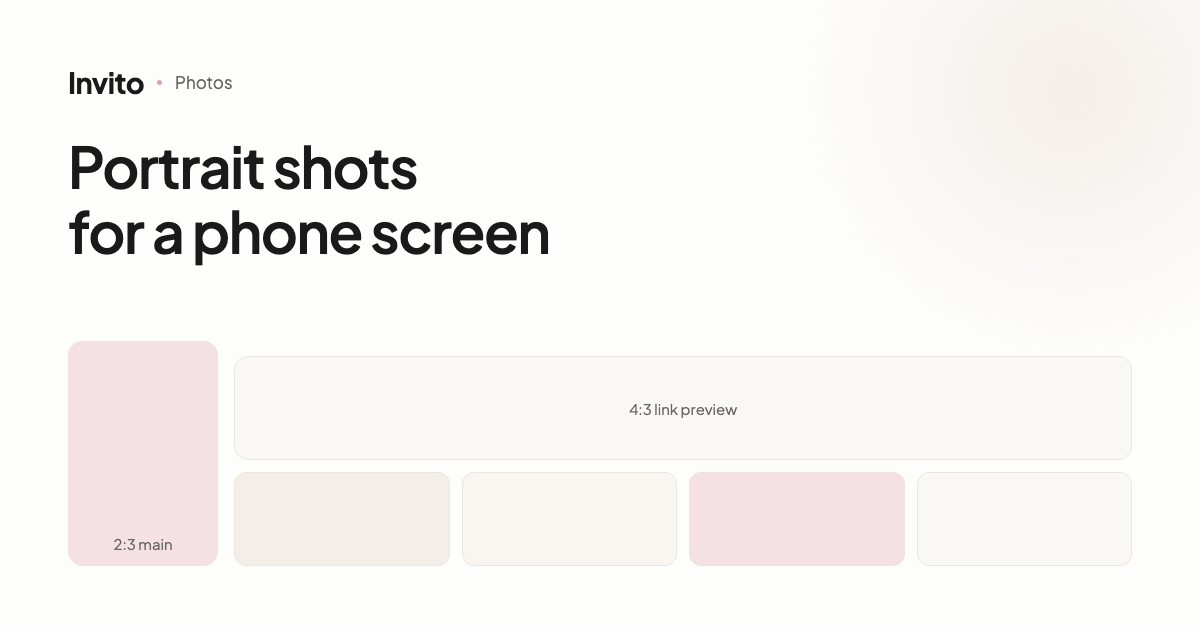
This is the most important rule, and the reason is simple: guests open the invitation on their phones, and the main photo fills the whole screen.
A portrait shot (roughly 2:3) fills it completely. A landscape one has to be either cropped heavily — and you lose half the picture — or shown with bars above and below.
What works well for the main shot:
- both faces are visible and not cropped
- there is a little “air” at the top or bottom — that's where the text goes
- the shot isn't too small: a full-length portrait on a whole screen often gets lost
The link preview is the opposite — landscape
When you send the link in a messenger, a preview appears — a separate card with a photo. It is landscape, roughly 4:3.
It's a different image from the main one. We prepare it separately, choosing a shot where the faces stay whole in a horizontal crop.
So don't be surprised if we ask for one more photo — just for the preview.
How to send them
The most common technical problem is compression in messengers.
When you send an image as a “photo”, Telegram, Viber and WhatsApp shrink it. On a phone screen the difference is barely visible, but the main photo is stretched across the whole screen — and there the compression shows immediately.
Send them as files. In Telegram that's “Send without compression”, in WhatsApp — “Document”.
A few more small things that save time:
- send the originals, not screenshots from Instagram
- if you have versions edited by your photographer, those are better
- don't crop them yourself: we'll pick the right framing for each block
If you haven't had your photo shoot yet
A common situation: the wedding is in two months, the photo shoot in one. There's no need to wait.
We build the invitation with placeholder photos, you see the structure and the design, and when your pictures arrive we swap them in. Your guests' links don't change, so you can even send the invitation before the swap.
It works the same way later: found a better photo a week after sending? Write to us and we'll replace it.
In short
| What | Best practice |
|---|---|
| Main photo | portrait, both faces, room for text |
| Gallery | 7–14 shots, a mix of wide and close-up |
| Link preview | a separate landscape shot |
| How to send | as files, uncompressed |
| Source | originals or your photographer's edits |
Frequently asked questions
- How many photos do we need?
- The median published invitation uses about 11 photos, typically 7–14. The MINI package is designed for 2–3 photos and MAX for 7–10, and the gallery can be extended by arrangement.
- Why should the main photo be portrait-oriented?
- Because guests almost always open the invitation on their phone, and the main photo fills the whole screen. A landscape shot there is either cropped or leaves empty bars.
- Are photos taken on a phone good enough?
- Yes. Modern phones take good enough pictures. What matters more is good light and no heavy zoom.
- How should we send the photos?
- As files, not as “photos” in a messenger. Messengers compress images, and on a large screen it shows — especially on the main shot.
- What if we haven't had our photo shoot yet?
- You can start without it: we build the invitation with placeholder photos and add yours later. Your guests' links won't change.
- Can we add photos after the invitations have been sent?
- Yes. We add or replace photos at any time — guests open the same link and see the updated gallery.
Want an invitation like this?
Pick a design — we do the rest. Send us your photos and wishes, and we prepare the site, the monogram and the language versions.