Personal links or one shared link: how to send your wedding invitation
Personal links give you a greeting by name and an exact picture of who is coming to what, but you need your guest list in advance and have to send each link separately. A shared link is one link for everyone — you can drop it into a group chat — but guests type their own name and there is no personalisation. Both modes are supported and can be combined: named links for close family, the shared link for the group chat.
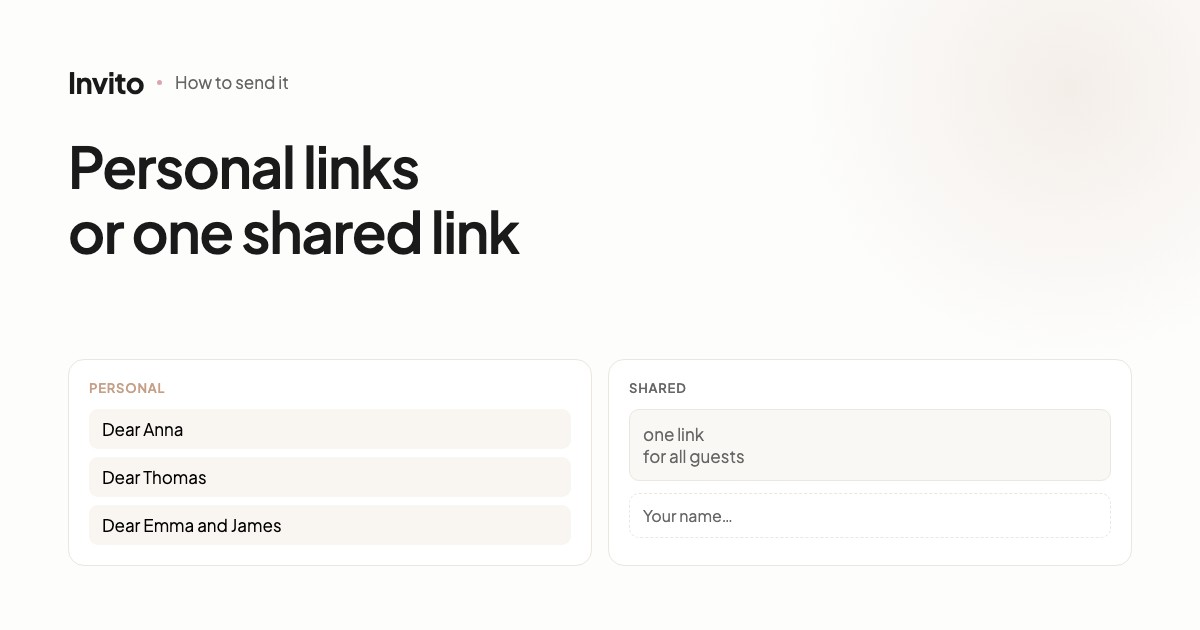
Before you send out your invitations, you need to decide one thing: does every guest get their own link, or does everyone get one shared link?
We support both. They have different strengths, and the choice depends not on your budget but on how you communicate with your guests.
Personal links
Every guest gets their own link. When they open it, the invitation greets them by name.
Pros:
- A greeting by name. “Dear Anna and Mark” instead of “Dear guests”. It's the first thing a guest sees, and it sets the tone.
- Correct grammar. In languages with grammatical gender and plural forms, the text exists in versions for one person, for a man, for a woman and for several guests. The site picks the right one itself.
- An exact list. You know in advance whom you invited, and you see three states: confirmed, declined and not opened yet. The last one matters — those are the people worth reminding.
- Questions for each guest. Transport is offered only to people travelling from far away; the question about children only to families.
- Invitation variants. Different groups of guests can see a different programme for the day.
Cons:
- You need the list in advance. Without names there is nothing to personalise.
- Each message is sent separately. Two hundred guests means two hundred messages. It's real work, even if you only do it once.
- Forwarding breaks the logic. If a guest forwards their link, the recipient sees the greeting meant for the guest, not for themselves.
- Not suitable for posting. You can't drop a named link into your stories or an open chat.
The shared link
One link for everyone. There are no names in the text, and each guest adds themselves in the RSVP form.
Pros:
- One link. Drop it into a group chat, your stories or a mailing — and that's it.
- No list needed. It works even when you haven't finally decided whom to invite.
- Forward it freely. A guest can pass the link on to relatives with no side effects.
- A quick start. Once the invitation is ready, sending it takes a minute.
Cons:
- No personalisation. No name, no separate programme, no questions tailored to the guest.
- The list is built from answers. You don't know how many people received the invitation and you won't see “not opened yet” — only those who have already answered.
- Guests type their own names. You get duplicates and different spellings of the same name, which you have to reconcile by hand.
- Reminders are harder. There is no list of the people who haven't replied yet.
A quick comparison
| Personal | Shared | |
|---|---|---|
| Greeting by name | yes | no |
| List needed in advance | yes | no |
| Sending | one message per guest | one link |
| See “not opened yet” | yes | no |
| Questions per guest | yes | same for everyone |
| Different programme per group | yes | no |
| Can be posted publicly | no | yes |
| Forwarding | breaks the greeting | safe |
Which to choose
Personal links if you have a guest list and the wedding has structure: an intimate ceremony and a larger party, guests from different cities, several groups with different programmes. That's where personalisation gives you the most.
The shared link if you talk to your guests in a group chat, the list is still changing, or the wedding is informal and an exact count isn't critical.
This hybrid gives you the best of both: personalisation for the people it matters to, and the simplicity of one link for everyone else.
One technical detail
The links in these two modes are different. Shared mode has its own link, and it isn't the same as any of the named ones.
That means: if you have already sent named links and later decide to add a shared one, the named links keep working, but the shared one has to be sent separately. Nothing breaks, but it's worth knowing in advance so you don't send everything twice.
If you're not sure which to choose, tell us who you're celebrating with and how you usually keep in touch with your guests. We'll suggest what fits.
Frequently asked questions
- Which option should we choose if we don't have a guest list yet?
- The shared link. Named links need the names in advance, while the shared link works straight away — guests add themselves in the RSVP form.
- Can we combine both modes?
- Yes, and that's the most common practical choice: named links for close friends and family, and the shared link for a group chat or your stories.
- What happens if a guest forwards their named link?
- The recipient will see the greeting meant for the original guest. That's why the shared link is better for public chats.
- In shared mode, will we know who answered?
- Yes — the guest types their name in the form and it lands in your list. The difference is that the list is built from the answers rather than prepared in advance.
- Can we switch modes after the invitations have gone out?
- Yes, the mode can be switched. But the shared link is a different link, so if you have already sent named links they keep working, and the shared one has to be sent separately.
Want an invitation like this?
Pick a design — we do the rest. Send us your photos and wishes, and we prepare the site, the monogram and the language versions.